What Is a Chronograph?
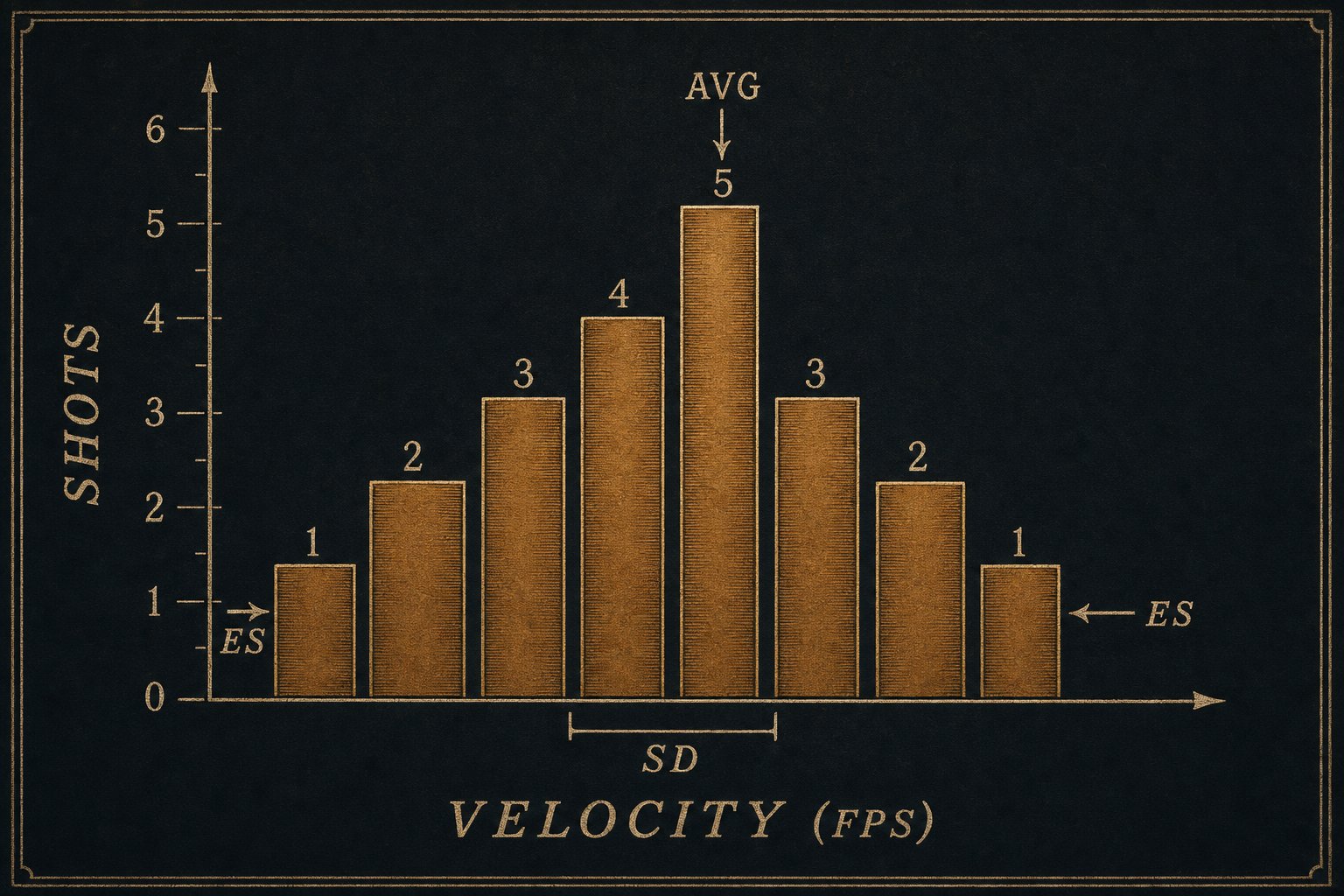
A chronograph is the device that measures the muzzle velocity of every round you fire over it. Next to a digital scale and a caliper, it is the most useful piece of equipment a handloader can own.
Why Velocity Matters
Velocity is the number that connects everything else. When you change powder charge, the load gets faster or slower. When the temperature drops 30 degrees, some powders give up 60 fps. When a brass lot ages and the neck tension drifts, the velocity SD widens. The chrono is how you see all of that without it being a guess.
Three numbers come out of every chrono session:
- Average velocity. The mean of every shot in the string.
- Extreme spread (ES). The fastest minus the slowest. A read on the worst case.
- Standard deviation (SD). A read on consistency. SD under 10 fps is excellent. SD over 25 fps means the load is rough, charge variation, primer mismatch, neck tension drift, or a brass lot that is on its way out.
For more on what these numbers mean, see ES vs SD: Reading a Chrono Session.
How Chronographs Measure Velocity
There are three measurement principles in current civilian-market chronographs.
- Optical (skyscreen). A pair of optical screens spaced a known distance apart. The bullet's shadow triggers each screen; the time-of-flight between screens divided into the distance gives velocity. Cheapest, oldest, most light-sensitive. Shooting Chrony, Oehler 35P, and most budget skyscreens work this way.
- Magnetic. A bayonet that mounts on the muzzle. Two electromagnetic sensors detect the bullet's iron content as it passes. Same time-of-flight math; immune to lighting; no shooting through screens. Magnetospeed Sporter and V3.
- Doppler radar. A small radar unit that tracks the bullet's velocity continuously, not just at one point. LabRadar, Garmin Xero C1 Pro, AthlonChrony, the original Caldwell Velociradar. Most expensive. Hands-off (no danger of shooting through a screen with a low shot). Reads downrange velocity too, which is what feeds drag-coefficient calibration.
For a logbook user, the brand and principle do not matter much. What matters is whether you can get the data into BrassTracker. The four chronos BrassTracker supports CSV import for:
- Garmin Xero C1 Pro. Native CSV export. Headers auto-detected.
- MagnetoSpeed V3 / Sporter. Internal SD card writes a CSV per session.
- LabRadar. Per-session CSV in the device's
LBRfolder. - ProChrono Digital / DLX. Bluetooth app exports CSV.
If your chrono is not on that list, the Logbook CSV import works on any spreadsheet you can hand-edit, just map the velocity column.
What a Chrono Does NOT Do
A chronograph does not tell you whether a load is safe. Pressure signs (sticky bolt lift, ejector swipes, primer flow, hard extraction) come from the case, not the chrono. A load can be over-pressure and still produce reasonable velocity, especially with slow powders in cold weather. The chrono is one input. Pressure inspection is another.
A chronograph also does not tell you whether a load is accurate. Velocity SD correlates loosely with group size at long range, a low-SD load tracks better past 600 yards, but at 100 yards a high-SD load can shoot a tiny group and a low-SD load can scatter. You still have to put the round on paper.
Three Habits Worth Forming
- Always log temperature. Powder velocities drift with temperature. The same load that did 2,705 fps in 80 °F summer can drop to 2,640 in 20 °F winter. BrassTracker stores temperature on every chrono session for exactly this reason.
- Shoot at least 10-shot strings. A 5-shot string is too short for a real SD. The standard error of an SD estimate from 5 shots is huge. 10 shots is a working minimum. 20 is better.
- Record what brass lot you fired. A new brass lot will give different velocities than a 5x-fired lot in the same recipe. If you do not log the lot, the variance is unexplained later.
What Changes with the Chrono in BrassTracker
The chrono history per load is the input the Pro ballistics solver uses to compute drop, wind hold, and scope adjustments, corrected for the temperature you are shooting in right now. Other apps make you type the muzzle velocity in. BrassTracker already has it. That is the whole point of the logbook.
Try BrassTracker
BrassTracker is $2.99 once, yours to keep. Import your chrono CSVs, log every session, watch your SD trend over time. Optional Pro upgrade adds the ballistics solver fed by that exact data.